What Bybit asks of someone living in Brazil
| Step | What Bybit documents |
|---|---|
| Sign-up | Email or phone, plus country of residence |
| Confirmation | Captcha and an email or SMS code |
| Verification | Three levels: Standard, Advanced, Pro |
| Deposit in reais | Requires verification; asks for CPF or CNPJ and a Pix key |
| Deposit fee | Shown only when the payment method is selected |
Before you start
Get these four things together first:
- A government-issued identity document showing your full name and date of birth clearly.
- A proof of address issued within the last three months, if you plan to move up a level later.
- The email address and phone number you actually use — each can only be tied to one account.
- A small amount to test a deposit and a withdrawal.
Signing up, step by step
Bybit's account registration guide lays out the flow:
- Click Sign Up in the top right corner.
- Select your country of residence. Bybit warns you may be redirected to a regional site or shown a restricted-country notice to comply with local regulations.
- Enter an email address or a phone number. Each email and each number can only be linked to one account.
- Enter a referral code before you finish if you have one — Bybit says it cannot be added or changed afterwards.
- Complete the captcha, enter the emailed or texted code, and set your password.
Step 2 is the one that catches people out. The residence country you pick decides which site and which services you see, so pick where you actually live.
Identity verification
Bybit splits individual verification into three levels — Standard, Advanced, and Pro — according to its individual verification guide. The Standard flow runs like this:
- Open the profile icon and go to Account.
- Click Verify Now on the Identity Verification row.
- Select your current country of residence. Bybit warns that changing it later may require extra verification.
- Choose the issuing country and document type, then photograph the document.
- Finish the facial recognition scan with your laptop camera, or scan the QR code to do it on your phone.
If a higher level asks for proof of address, watch the date: Bybit rejects documents older than three months. An April utility bill will not clear in September.
Finishing verification is also what opens buying. Bybit's verification levels page says that after KYC you gain its Buy Crypto services and Earn products.
Bybit Global vs. 2 alternatives
A quick view of canonical data. Open the comparison for every source and condition.
 Bybit Global
- Funding
- Not verified
- Taker fee
- 0.1%
- Status
- Editorial only
 Bitso
Bitso- Funding
- Pix + BRL
- Taker fee
- 0.4%
- Status
- Editorial only
 Coinbase
- Funding
- Pix + Bank transfer
- Taker fee
- 0.6%
- Status
- Editorial only
Depositing reais
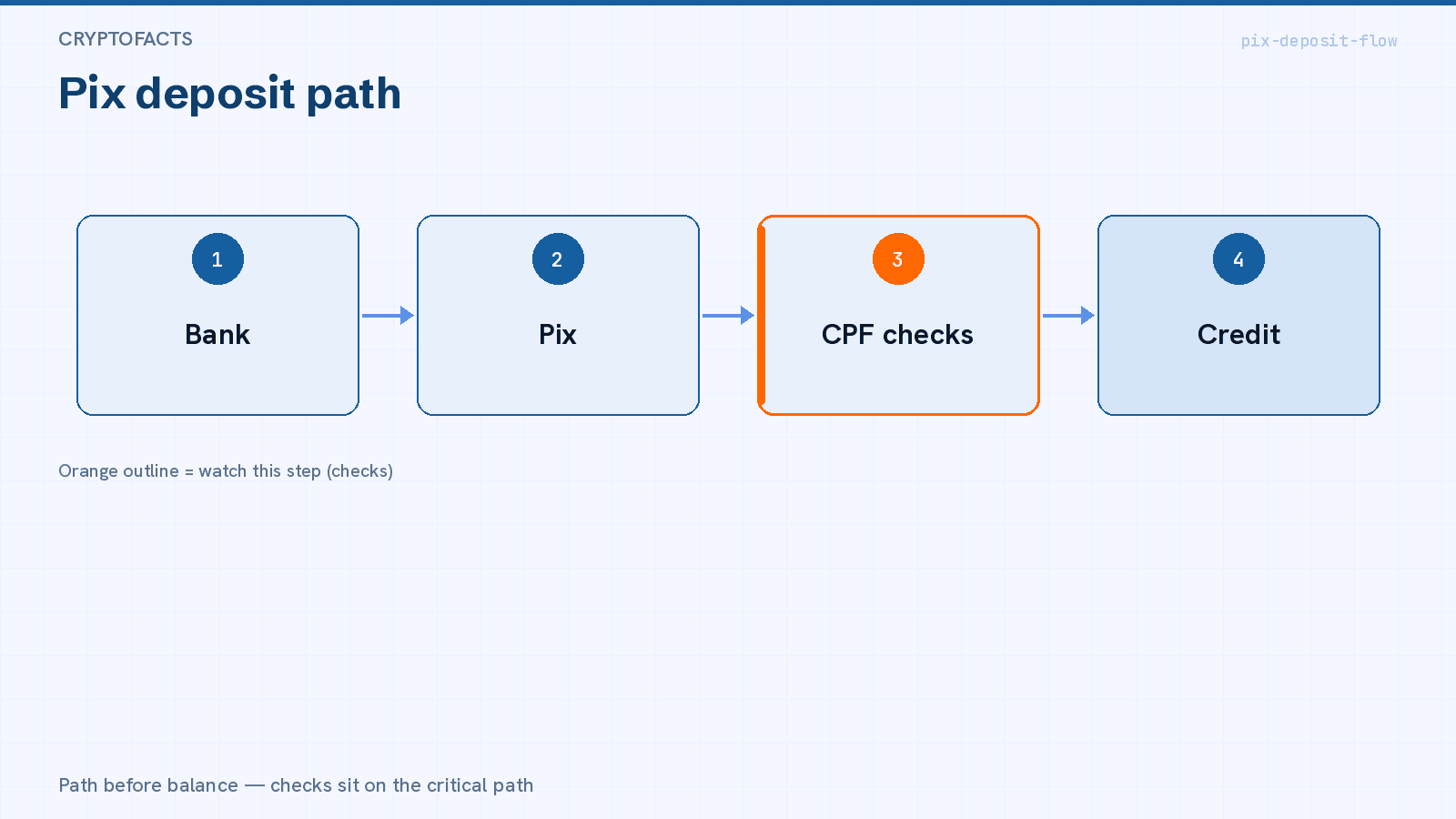
Bybit's fiat deposit guide is unambiguous on one point: identity verification is required for fiat deposits. Without it, there is no reason to open that screen.
In the currency table on that same page, the Brazilian-real route lists Pix as the method, and the details requested include a CPF or CNPJ number and a Pix key. In practice that means the sending bank account has to be in your name, under the same CPF as the account.
The documented flow is:
- Tap More, then Deposit, then Fiat, and choose the currency.
- Select the payment method and accept the terms.
- Read the deposit instructions for that method before confirming the order.
Bybit says the deposit fee and processing time appear when you select the payment method. Read both numbers on screen before you transfer.
We could not verify a minimum Brazilian-real deposit in the help pages we captured. Confirm the minimum in the amount field before you send the Pix.
To compare minimums, timing, and the ownership rule across the other exchanges, see how to deposit on a crypto exchange in Brazil.
Your first purchase
Fund a small amount first. When it lands, buy and compare the total in reais at confirmation against what you expected to pay — a percentage on its own does not tell the whole story. The fee breakdown is in what Bybit charges in Brazil.
Then try withdrawing part of it. Finding a withdrawal block with fifty reais is cheap. Finding it with five thousand is not.
Checklist inside the authenticated flow
- The country of residence recorded on the account, and the regional site it sends you to.
- The minimum deposit shown in the amount field, in reais.
- The fee and processing time displayed when you pick Pix.
- The recipient name and Pix key, before you paste them into your bank app.
- The withdrawal limits for your verification level.
- An active second factor, with the recovery code stored safely.
What we could not verify
Bybit sits in CryptoFacts as editorial only for Brazil. Banco Central transition rules apply, but no named authorisation — nor an in-process application — was verified for a Bybit entity in the country. None of the help pages we captured names the Brazilian contracting entity; the canonical record takes that from local Brazilian-real fiat terms, and naming an entity is not evidence of authorisation. The full picture is in Is Bybit trustworthy in Brazil?.
That is why this page carries no sign-up link and no referral code.
Failure modes to watch (account + first Pix)
- CPF / name mismatch — Pix from another person’s bank key often bounces or freezes credit.
- Wrong entity / Pix key — confirm the named recipient matches the in-app instructions before sending.
- Holding ≠ spendable reais — some paths credit a token or foreign balance; you may still need a convert step.
- Minimum vs fee — a tiny minimum can sit next to IOF or convert cost; read both lines on the confirmation screen.
FAQ
Do I really need verification just to deposit? Yes. Bybit states that identity verification is required for fiat deposits.
Can I fund from someone else's bank account? The Brazilian-real route asks for your CPF or CNPJ and your Pix key. Use an account in your own name.
Which verification level do I need? Standard covers depositing and buying. Advanced and Pro widen limits and services.
Will a six-month-old proof of address work? No. Bybit rejects documents dated more than three months back.
Verdict
Bybit is clear about the order of operations: pick the right country of residence, finish Standard verification, and only then open the Brazilian-real deposit screen. The Pix route exists and asks for a CPF or CNPJ and a Pix key.
What stays open is the numbers. The minimum, the fee, and the processing time only appear inside the authenticated flow, and the regulatory standing of the Brazilian entity is unverified. Treat your own account screen as the final word, and test small before you move anything large.
Still comparing exchanges? Start with the list of exchanges available in Brazil.